
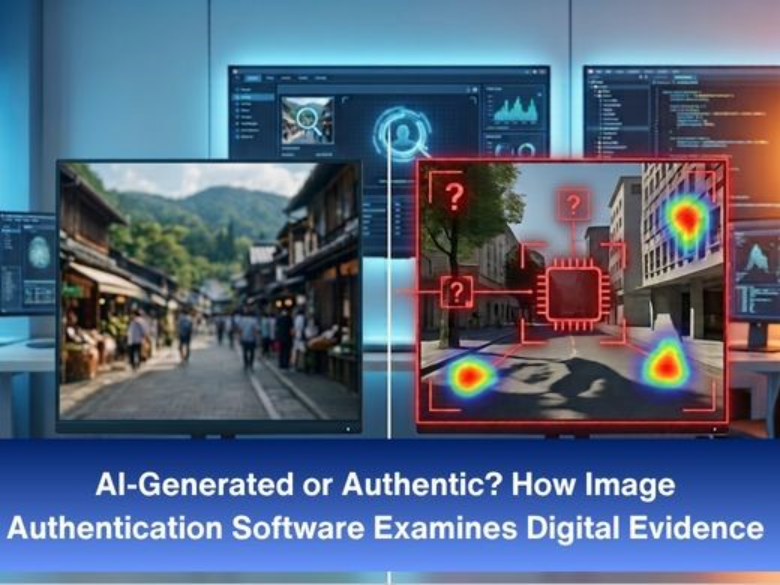
Why Looking Closely Isn't Enough
Your eyes are a weak test. Modern edits and AI-generated images can fool a careful viewer, and even trained reviewers disagree on borderline cases.
Authentication software skips the “does it look right” question. It examines what the image is made of: its file structure, its compression history, its noise, and the logic of the scene. Fakes usually leave traces there, even when the picture looks perfect. This is the core of digital forensics: letting the data speak, not the impression.
What Image Authentication Software Actually Checks
What Image Authentication Software Actually Checks
No single test settles the matter. Analysts run several and compare what they find.
- File structure and metadata
Metadata can record the camera model, software used, timestamps, and sometimes location. Inconsistencies are worth noting, such as an editing program listed on a supposedly straight-from-camera file. But metadata is easy to strip or rewrite, so it is a starting clue, never proof.
- Compression history
Most photos are saved as JPEGs, and each save leaves a mark. If part of an image was pasted in from another source, that region may show a different compression pattern than the rest. Double compression can also suggest the file was opened and re-saved after capture.
- The sensor fingerprint
Every camera sensor has tiny manufacturing imperfections that leave a faint, consistent noise pattern in its photos. Software can compare an image against that pattern. A match supports a camera origin. A missing or mismatched pattern raises questions, and it is one of the signals analysts consider when assessing whether an image was captured at all.
- Pixel-level edits
Cloning, splicing and resizing change how pixels relate to each other. Copy-and-paste edits can repeat identical patches. Resampled areas carry statistical traces that a human eye can’t see but an algorithm can flag.
- Scene logic
Light, shadow, and perspective must agree with each other. If one person’s shadow points left and another’s points right under a single sun, something is wrong. Reflections, vanishing points and object scale get the same scrutiny.
Lens distortion matters here too. Accurate camera calibration and lens correction help analysts judge whether lines and proportions in a scene are believable. For measurement work, photogrammetry can test whether object sizes and distances actually add up.
Where AI-Generated Images Fit In
AI-generated images add a new layer. Some show odd texture patterns, inconsistent physics, or lack the sensor noise a real camera produces. Others pass every visual check.
Detection here is probabilistic, and it ages quickly because generators keep improving. A tool that flags last year’s output may miss this year’s. Treat any “AI-detected” score as one piece of evidence, not a verdict.
The same caution applies to moving footage. Video authentication faces the same questions, with the added challenge of checking consistency across thousands of frames.
What These Tools Can't Tell You
Be honest about limits, because opposing counsel will be.
- A clean result doesn’t prove authenticity. It means the tests found no sign of tampering.
- Heavy compression hides evidence. Images shared through messaging apps lose much of the data that authentication relies on.
- Metadata can be forged. Never lean on it alone.
- Context still matters. Where the image came from and who handled it affects how much weight it carries.
Authenticate Before You Enhance
Order matters here. If you plan to sharpen or clean up an image, authenticate it first. Enhancement changes pixels, and that can muddy the very traces authentication looks for.
Once the original’s integrity is established, image enhancement software can improve clarity on a documented copy while the original stays untouched. For video, forensic video enhancement follows the same rule, and face enhancement should only ever be applied to a verified copy. If the material will be shared or disclosed, data redaction software lets you protect bystanders without touching the original.
A Practical Workflow
- Secure the original file and record how you received it.
- Work only on copies.
- Run multiple authentication tests, not one.
- Note every setting and result so another analyst can repeat them.
- Report findings in plain terms, including what the tests couldn’t determine.
The Takeaway
Image authentication software won’t hand you a simple “real” or “fake.” It gives you evidence about an image’s history, and a skilled analyst turns that into a defensible conclusion. As AI-generated images improve, that discipline matters more, not less.
If images regularly feed into your cases, review how you currently verify them. A repeatable process is what holds up under challenge. Cognitech’s forensic image authentication solution is built for this kind of examination, and the wider forensic video analysis software suite covers the video side of the same casework.
FAQs
- Can image authentication software detect AI-generated images?
It can flag signals common in generated images, but results are probabilistic, and no detector is foolproof.
- Is metadata enough to prove a photo is real?
No. Metadata is easy to edit or remove, so it should support other tests, not replace them.
- Why authenticate before enhancing an image?
Enhancement alters pixels and can hide the traces authentication relies on.
- Can authentication work on screenshots or social media images?
Less reliably. Compression and resizing strip away much of the data these tests need.