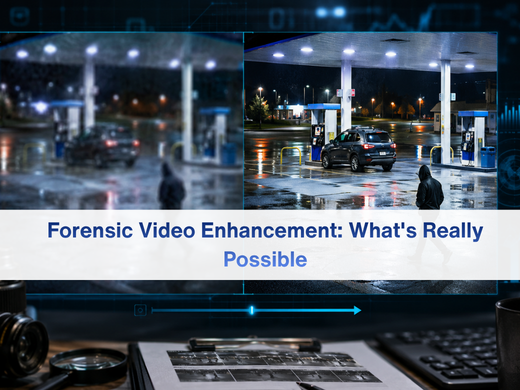
Forensic Video Enhancement: What's Really Possible

Best photogrammetry


A blurry frame from a gas station camera land on an investigator’s desk. Someone in the room asks the question that comes up in almost every case involving video evidence: “Can we clean this up?”

The honest answer is sometimes, and only to a point.

Forensic video enhancement has a reputation problem. Television has trained people to expect a technician to type a few commands and turn a smear of pixels into a readable license plate. That’s not how it works. Real forensic video enhancement is a disciplined, documented process built on the information already present in the footage — not information invented to fill the gaps.

This article breaks down what enhancement can genuinely improve, what it can’t, and why that distinction matters if the footage is ever going to hold up outside the lab.
What Forensic Video Enhancement Actually Means

Forensic video enhancement is the process of improving the visibility of details that already exist in a video file, using scientifically defensible methods that don’t alter the underlying evidence. The goal isn’t to make a video look better. It’s to make existing information easier to see, measure, or interpret.

This distinction is the foundation of everything else in this article. Enhancement works with the data captured by the camera. It does not create new data. A skilled forensic video analyst is extracting and clarifying what’s already there not guessing at what might have been there.

That’s also what separates purpose-built video enhancement software from a consumer photo or video editor. Consumer tools are built to make content look pleasing. Forensic tools are built to preserve accuracy while improving clarity, with every step logged and repeatable.

What Investigators Can Improve

  • Brightness, contrast, and exposure correction Surveillance cameras are rarely positioned or configured with evidentiary quality in mind. Footage is often too dark, too bright, or shot against harsh backlighting. Adjusting exposure and contrast — a form of image enhancement — can reveal details, such as a face in a shadowed doorway or a logo on dark clothing, that were technically recorded but not visible on a standard playback. 
  • Stabilization of shaky or handheld footage Bystander phone videos and poorly mounted cameras often produce shaky footage that’s hard to follow frame by frame. Stabilization, often paired with video deblurring software, smooths out camera motion so a viewer, and eventually a judge or jury, can actually track what’s happening instead of fighting the shake. 
  • Frame-by-frame clarity improvements Where a scene includes multiple frames of the same subject, an analyst can align and combine information across those frames to sharpen detail. This kind of video forensic analysis is commonly used to improve legibility of a license plate, a tattoo, or a partial face across several frames of the same clip. 
  • Zoom and region-of-interest isolation Enhancement tools can isolate and enlarge a specific area of a frame — a hand, a weapon, a doorway — without degrading the rest of the image, letting investigators focus on the relevant detail without losing context. 
  • De-interlacing and format correction Older analog systems and some DVR formats record interlaced video, which produces a combing or striping artifact when a subject moves. De-interlacing reconstructs a cleaner, more natural-looking frame as part of a broader digital forensic analysis workflow. 
  • Color correction and normalization Poor camera calibration, compression artifacts, or degraded storage can shift colors away from reality. Correcting this, using dedicated image enhancement software, helps investigators accurately describe clothing, vehicles, or other identifying features. 
  • Motion tracking and measurement When camera calibration data is available, Photogrammetry Software can be used to measure the height, speed, or trajectory of a person or object in the frame — turning raw footage into quantifiable, court-relevant data rather than a subjective impression. Accurate results depend on proper Camera Calibration and lens correction applied before any measurement is taken. 
  • Multi-camera synchronization Large facilities often run several cameras covering overlapping areas. Synchronizing footage from multiple sources by timestamp, using surveillance video enhancement software, lets investigators build a continuous, corroborated account of an event instead of working from isolated, disconnected clips. 

Why the Distinction Matters for Evidence Credibility

Courts scrutinize enhanced video differently than raw footage, and for good reason. If enhancement methods can’t be explained, documented, and reproduced by another qualified analyst, the output is vulnerable to challenge.

That’s why forensic video enhancement software built for investigative use logs every processing step, preserves the original file untouched, and produces a reproducible chain from source footage to final output. An analyst should always be able to answer, step by step, exactly what was done to a video and why — and get the same result if they ran the process again. This kind of rigor is also central to digital forensics more broadly, whether footage is processed locally or through a centralized system.

This is also why the “can and cannot” distinction isn’t just a technical detail. It’s what keeps enhanced footage admissible instead of contestable. An investigator who overstates what enhancement achieved risks the credibility of the entire case, not just the video.

A Practical Framework for Requesting Video Enhancement

Before submitting footage for enhancement, it helps to ask a few grounded questions: 

  1. What specific detail are we trying to see more clearly?
    A vague request to “clean this up” produces vague results. A specific target — a plate number, a face, a logo — gives the analyst a clear objective. 
  2. Is the detail present in the source file at all? Reviewing the raw footage frame by frame first, ideally with a trained analyst performing crime scene video analysis, sets realistic expectations before any processing begins. 
  3. What format and resolution is the original recording? Lower-resolution or heavily compressed source files narrow what’s achievable, and it’s worth knowing that going in. 
  4. Will this footage need to hold up in court?
    If so, the enhancement process needs full documentation from the start, not added retroactively.
     

The Role of Purpose-Built Forensic Video Tools

Forensic video

General-purpose editing software isn’t built with evidentiary standards in mind. Forensic-specific platforms the kind used across Forensic Video Analysis Software and digital forensics units — are designed around a different priority: defensible, repeatable results rather than an aesthetically pleasing final image. 

That difference shows up in how the software handles things like camera calibration for measurement work, image authentication software to detect tampering or editing, and detailed processing logs that document every adjustment made to a file. Many agencies now run this work through cloud forensics platforms, which centralize evidence storage and give distributed teams controlled access to the same case file. Case-level platforms such as Cognitech Intelligence, which also handle tasks like data redaction for privacy-compliant evidence sharing, round out a workflow built for scrutiny rather than convenience. 

These aren’t extras. They’re what separates footage a court will consider from footage that gets challenged and excluded. 

Conclusion

Forensic video enhancement is a genuinely powerful tool — when it’s understood correctly. It can recover legibility from poor lighting, stabilize chaotic footage, and turn a vague clip into measurable evidence. What it cannot do is manufacture detail that was never recorded in the first place.

The investigators who get the most out of enhancement are the ones who go in with realistic expectations and use tools built specifically for evidentiary work, not general editing software repurposed for a case. Knowing where the line sits between “clarify” and “invent” is what keeps enhanced video credible from the evidence locker to the courtroom.

FAQ

  1. Can forensic video enhancement make a blurry face fully identifiable?
    Only if the original footage captured enough facial detail to begin with. Enhancement can sharpen what’s present, but it can’t create identifying features the camera never recorded.
  2. Is AI upscaling the same as forensic video enhancement?
    No. AI upscaling predicts likely pixels based on pattern recognition from other images, which can misrepresent what was actually recorded. Forensic enhancement only clarifies data that genuinely exists in the source file.
  3. Does enhancing a video count as tampering with evidence?
    Not when it’s done correctly. Forensic enhancement preserves the original file, documents every processing step, and produces a reproducible result — which is what distinguishes it from tampering.
  4. How do courts evaluate enhanced video evidence?
    Courts typically look at whether the process is documented, reproducible, and performed using accepted forensic methods rather than subjective or opaque editing.
  5. Can old or low-resolution surveillance footage still be enhanced?
    To some degree, yes. Brightness, contrast, and stabilization improvements are often possible even on older footage, though the amount of recoverable detail depends heavily on the original recording quality.
  6. Who should perform forensic video enhancement for a case?
    A trained forensic video analyst using purpose-built forensic software, ideally someone able to testify to the methods used if the footage is presented in court.