
Most security cameras do their job badly. They capture what happens, but not clearly enough to act on it. The footage is shaky, dark, compressed, or shot from a distance that turns people into blurry shapes. For investigators, that gap between what was recorded and what can actually be used is where cases stall. Cognitech Video Investigator closes that gap.
It is a cloud-based video enhancement software built around one job: taking raw, imperfect footage and turning it into something an investigator can work with. You can collect recordings, clean them up, analyze them, and share findings with your team without ever leaving the platform. This is not a general-purpose editing tool with a forensic badge on it. It was designed for the specific conditions investigators face, and the features reflect that. Here is how it works, what problems it solves, and why it ends up being useful beyond law enforcement.
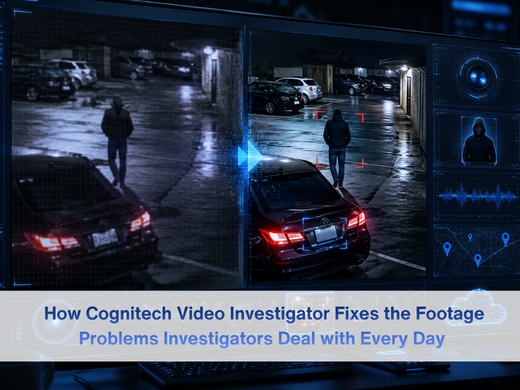
How the Software Actually Works?
The platform runs on AI that scans footage as you bring it in. It looks for abnormalities, quality issues, and anything that needs correcting, then applies fixes automatically. That might sound simple, but it changes the workflow considerably. Analysts are not spending the first hour of every review just trying to get footage into a watchable state.
The corrections are applied based on what the software finds, not on a blanket filter that treats every frame the same way. That matters because different parts of the same clip often have different problems. One section might need stabilization. Another might need brightness correction. The software handles each appropriately.
Teams that also need to capture and encode footage before the investigation stage can pair this with video forensic analysis through VideoActive 64, which handles the recording and processing side before footage ever reaches the investigation platform.
The same approach applies to still images pulled from the video. Distortions from the original capture get detected and corrected, sharpening frames to the point where they become usable for identification rather than just context.
The main features that power this are:
- Image stabilization: Camera shakes and jitter get smoothed out. Footage that was difficult to follow becomes far easier to review and analyze.
- Text overlay tools: Analysts can attach subtitles or notes to specific parts of a recording. Useful for building a case file, and it also helps with accessibility for hearing-impaired team members.
- Text sharpening: Anything legible in the original frame makes it more legible. License plates, signage, name tags on uniforms, things that would otherwise require guesswork.
- Brightness and contrast controls: Adjusted per frame rather than across the whole clip. Dark footage from night cameras or poorly lit rooms can be worked through without blowing out the parts that were already properly exposed.
When a still image also needs to be checked for tampering before it can be used as evidence, forensic image authentication software provides the verification layer, confirming whether the frame has been manipulated since it was captured.
The Problems That Forensic Video Investigators Run Into
Anyone who has spent time reviewing surveillance footage knows the work is not as clean as it looks from the outside. Cameras miss things. Recordings compress artifacts into places that matter. Lighting conditions at 2am in a parking lot are not what anyone would call cooperative. For a broader look at the forensic video tools available across the full Cognitech product line, forensic video analysis software is a good starting point.
False alarms eat time in a way that is hard to account for until you are deep in an investigation. Someone on camera does something that looks suspicious. A full review has been launched. Hours later, it is clear that nothing happened. The actual case has lost a day. This is a known, recurring problem in forensic video work, and it is one of the main things Cognitech Video Investigator is designed to reduce.
The accuracy issue runs alongside it. Detection technology has improved significantly over the years, but it is still possible to miss important details when footage quality is poor or when an analyst is reviewing hours of recordings in one sitting. Compression artifacts, motion blur, and overexposure all create situations where conclusions get drawn from incomplete information.
The AI in Cognitech Video Investigator applies the same detection standards to every frame of every recording it processes. That consistency does not replace judgment, but it does remove a lot of the variability that makes false alarms and missed evidence common problems in manual review.
For agencies that handle multiple investigation types at once and need tools that work together rather than separately, TriSuite 64 for forensic video analysis brings together a set of forensic tools built to operate as one integrated system rather than a collection of standalone applications.
What You Get Out of It in Practice?
The first thing most users notice is how much faster footage becomes reviewable. The platform monitors recordings and surfaces changes or anomalies as they appear, which means less time scrubbing through hours of nothing to find the thirty seconds that matter.
For organizations working across multiple locations or that need remote access to evidence without shipping drives around, Cognitech cloud forensics platform handles the infrastructure. Evidence stays organized, accessible, and properly managed without being tied to one machine or one office.
On the business side, the employee monitoring application is genuinely useful for companies dealing with internal theft. The platform can pull clips tied to specific locations and time windows, making it straightforward to piece together what happened and who was involved without going through everything manually.
Property security is the other consistent use case. Continuous camera monitoring means suspicious activity or unauthorized access gets flagged as it happens rather than being discovered in a review the next morning.
Before footage gets shared with legal counsel, prosecutors, or the public, faces and identifiable details often need to be obscured to meet privacy requirements. Cognitech Intelligence for AI video redaction handles that automatically, without anyone needing to go through frame by frame to cover faces by hand.
What ties all of this together is that the software was built for situations where the quality of the evidence matters. Getting clear footage into the hands of people who need to act on it is what the whole platform is designed around.

Frequently Asked Questions
What kinds of footage can I put through Cognitech Video Investigator?
Pretty much anything you would encounter in a real investigation. CCTV, body cam, dashcam, IP camera feeds, even consumer cameras like Ring or Arlo. The platform was built around footage that is not ideal, so things like heavy compression, low resolution, or bad lighting are exactly what it is made to handle. Clean, well-lit footage rarely causes problems for investigators. It is the rest of it that does.
Do you need a technical background to use it?
No. The core process runs automatically. Footage goes in, the AI finds what needs fixing, and you get an improved version out. If you want to adjust brightness on a specific frame or add a text note to a clip, those controls are there. But you do not need to understand what is happening under the hood to get useful results. Most users are investigators, not software engineers, and the interface is designed with that in mind.
Is this tool only for law enforcement, or can regular businesses use it?
Both use it for different reasons. Law enforcement agencies bring it into criminal investigations where footage quality determines what can be proved. Businesses tend to use it for internal theft investigations, monitoring employee activity, or reviewing property security footage after an incident. The tools are identical either way. What changes is what you are looking for and what you do with the results.
Where does this fit if we already use other Cognitech tools?
It covers the investigation and enhancement layer. If your team also handles capture and encoding, VideoActive64 sits earlier in the process, getting footage into a state ready for investigation. For managing evidence remotely or across multiple sites, the Cognitech cloud forensics platform handles that. And if footage needs to go to prosecutors, the media, or anyone outside the investigation before it is cleared, Cognitech Intelligence handles the privacy redaction automatically.